The hero editor
The editor is a play-mode tool (Scenes/LegionEditor.unity). Open it with Tools > Pixel Legion Maker > Open Editor and press Play. The screen has three columns.
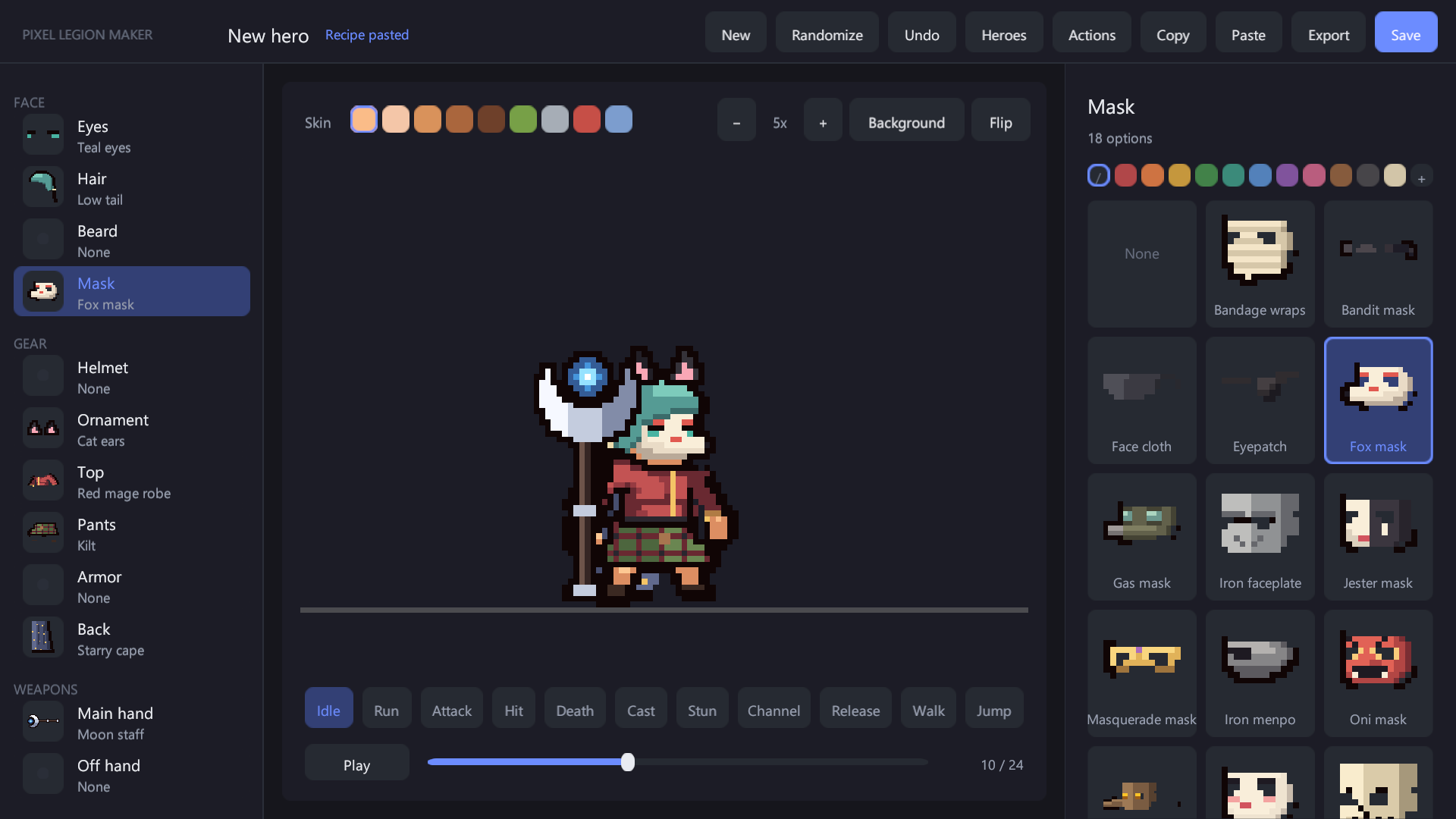
- Left: slots. Face: Eyes, Hair, Beard, Mask. Gear: Helmet, Ornament, Top, Pants, Armor, Cape. Weapons: Main hand, Off hand. Each row shows the current part.
- Center: preview. The Skin row recolors the body and the skin drawn on parts (pale, tan, brown, dark, orc, undead, demon, frost); weapons keep their colors. Zoom with − / +, change the backdrop with Background, mirror with Flip. The buttons below play each motion. Pause and the slider step through frames.
- Right: parts. All parts for the selected slot. Weapons can be filtered by kind. Swatches dye the selected part. + opens hue, saturation and brightness sliders for a custom color; the five light-to-dark shades are made from it.
Top bar
| Button | Action |
|---|---|
| New | Start from the default hero |
| Randomize | Random combination (seeded, always a valid hero) |
| Undo | Undo the last change |
| Heroes | Open the saved hero library (load, delete) |
| Actions | Open the custom action panel |
| Copy / Paste | Copy the hero as a recipe line to the clipboard, or apply a recipe from the clipboard |
| Export | Write the frame sheet of the current hero |
| Save | Save the hero as a prefab |
Weapons decide the pose
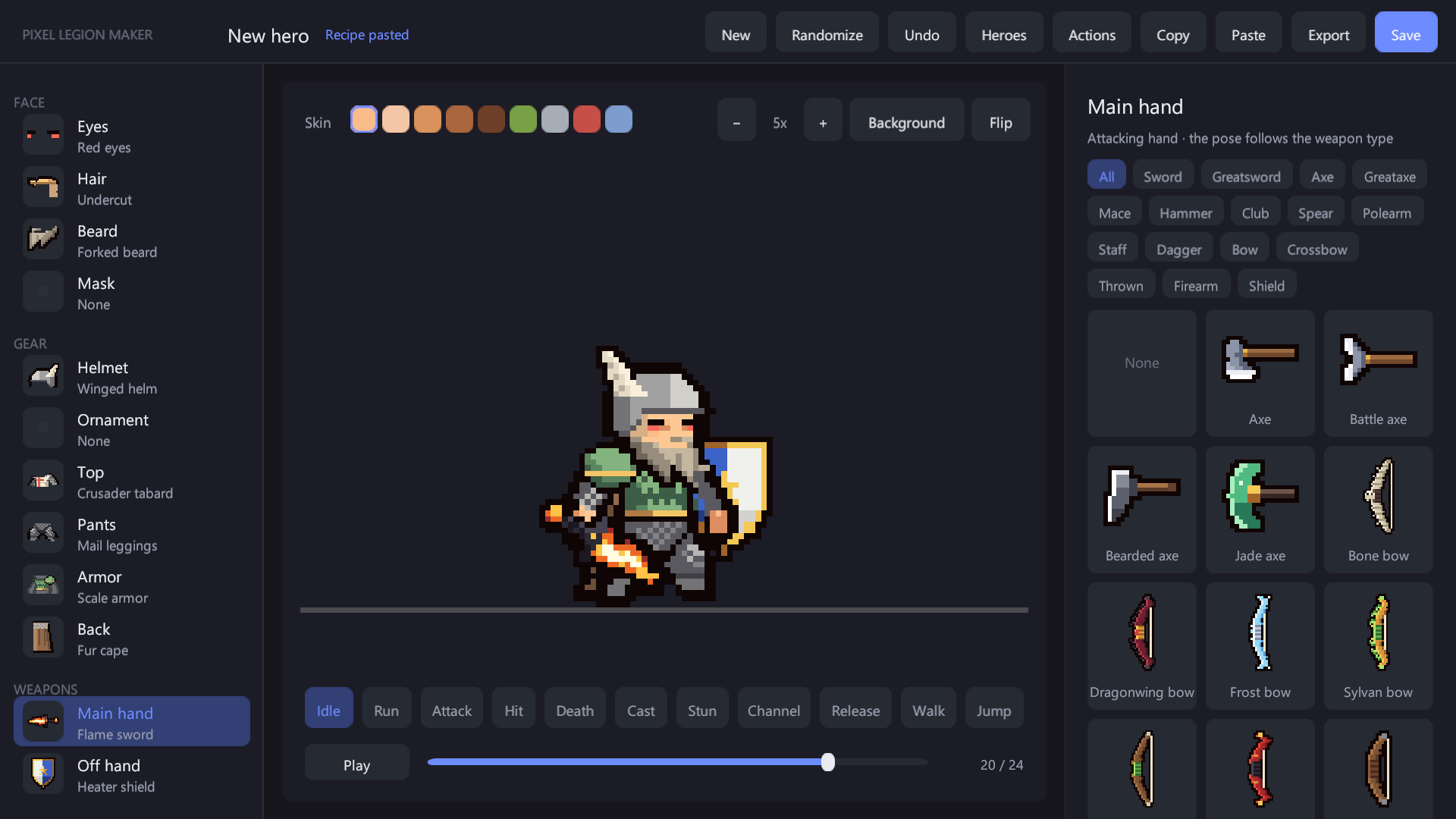
The main hand is the attacking hand. Its weapon decides the motion style: sword swing, spear thrust, bow shot, staff cast, heavy two-handed slam, dagger, thrown weapon or firearm. The off hand holds a shield, a second weapon or a decorative item.
Dyes and skin tones
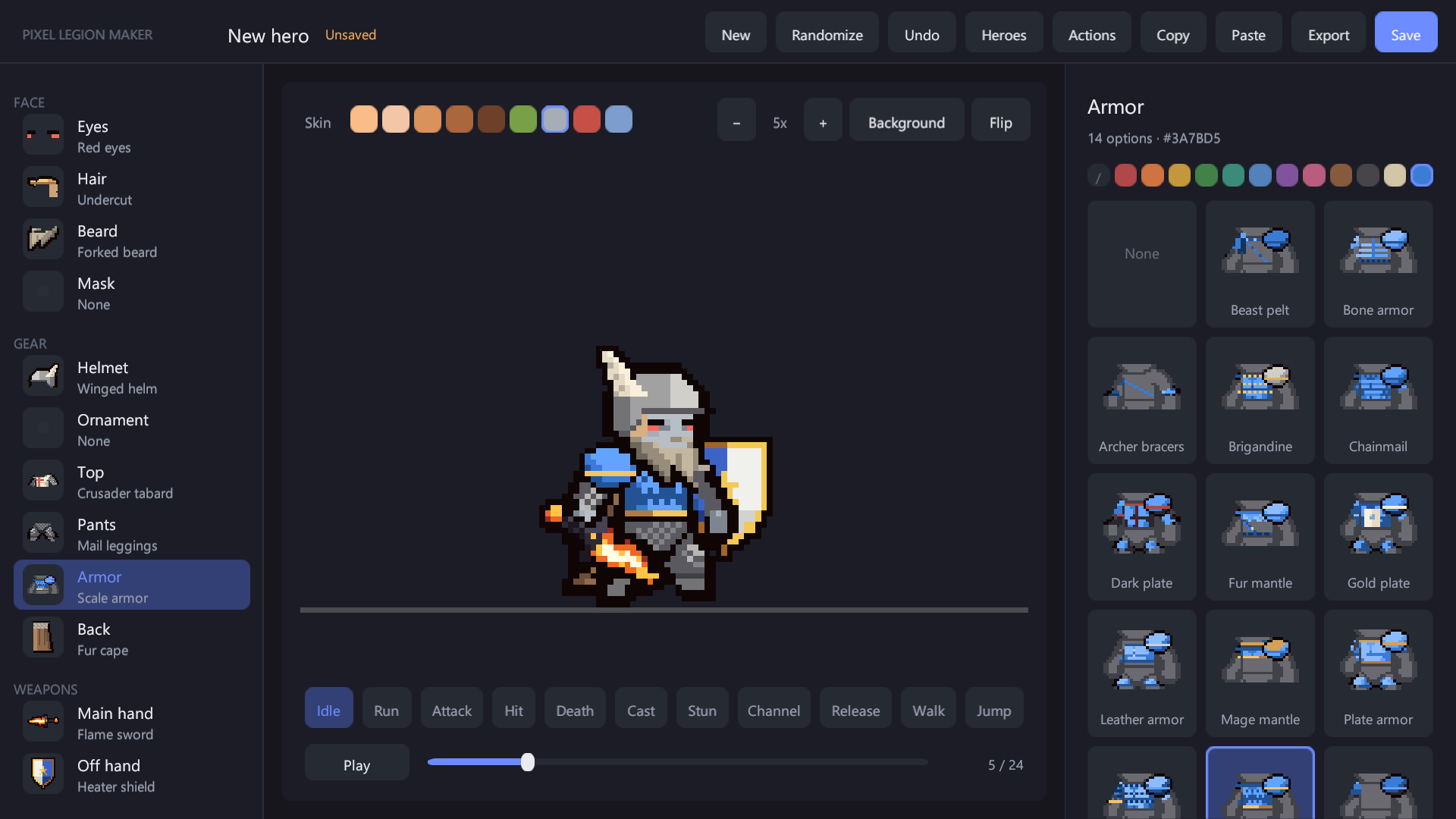
Dyeing recolors the most common color group of a part with a palette or a custom color, keeping its light and shade steps. Glow colors of the glowing eyes are kept when other parts are dyed.
Saving
Save writes Units/HERO_<NAME>.prefab. The hero library lists your heroes and, under their titles, the heroes of other content packs.