Heroes in code
A saved hero is a normal prefab with an Animator.
using PixelUnitStudio;

var hero = Instantiate(heroPrefab);
hero.transform.localScale = new Vector3(-1, 1, 1);   // the rig faces left; flip to face right
var unit = hero.GetComponent<LegionUnit>();
unit.Play("attack");
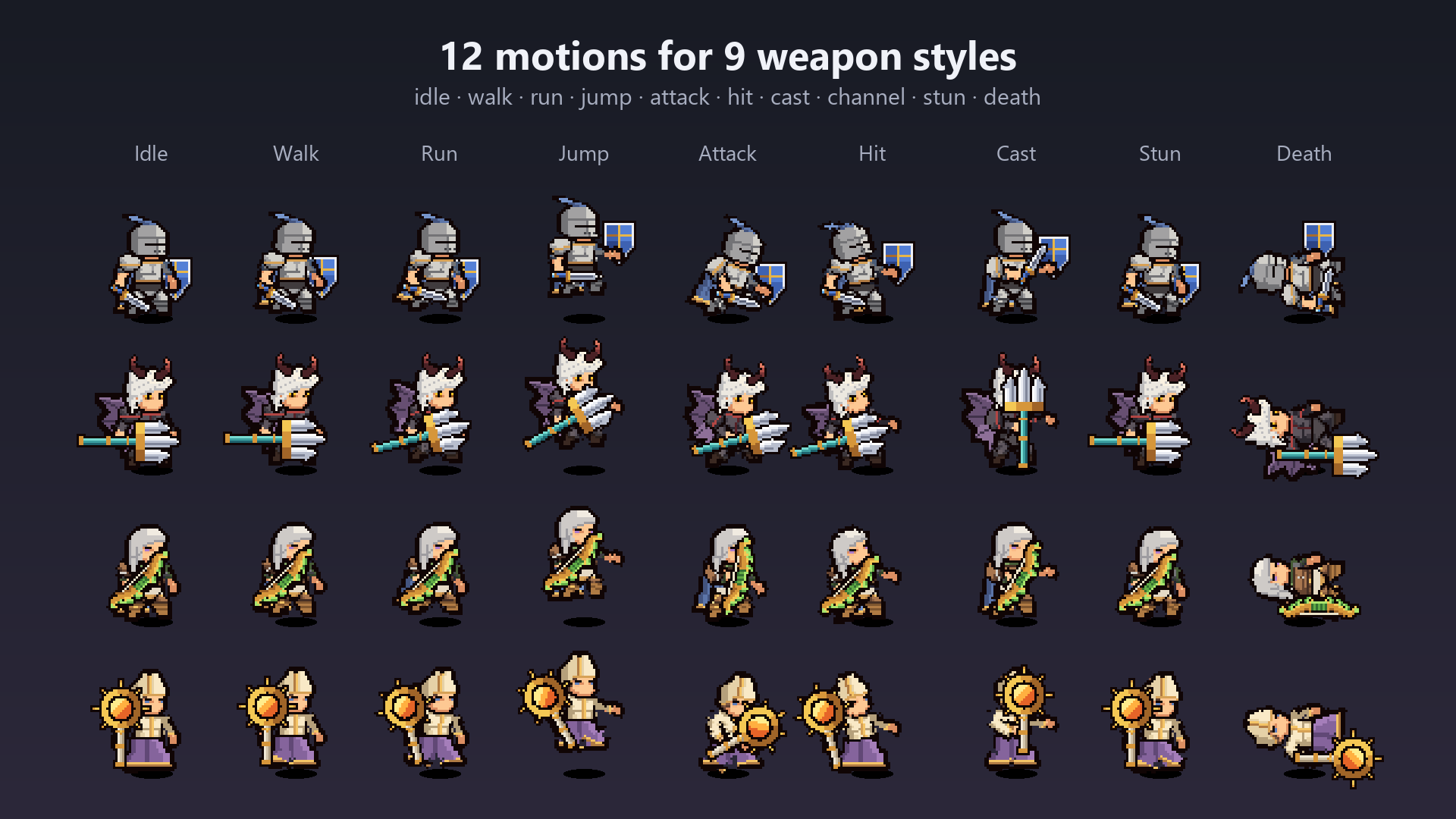
- Motions:
idle,running(run),walk,jump,attack,damaged,death,cast,stun, and the channel setcast_start→cast_loop→cast_end.jumpjumps in place; move the hero from your game code. LegionUnit.Playchooses the right version of the motion for the weapon kind (attack@spear,attack@bow, ...).- One-shot motions (
attack,damaged,cast,cast_end,jump,death) stop on their last frame. Tick Return To Idle on the hero'sLegionEventscomponent to go back to idle automatically (death stays down). cast_startplays once and then loopscast_loopautomatically. Playcast_endwhen the channel ends.
Custom actions in code
Saved heroes carry a LegionActionPlayer that knows the actions made in the editor (Custom actions).
var actions = hero.GetComponent<LegionActionPlayer>();
actions.Play("Triple Strike");                      // false if the library has no such action
actions.Finished += action => Debug.Log(action.name + " done");
Hit and cast events fire for every step, so projectiles and damage work as with single motions. Return To Idle waits until the whole action ends. Playing a motion with LegionUnit.Play stops the action. Heroes built at runtime use builder.Actions (set its library, or pass a LegionAction to Play).
Animation events
Every saved hero has a LegionEvents component. The clips call it at the moments a game needs:
| Event | When |
|---|---|
hit |
The attack connects: the blade lands, the arrow, bolt, bullet or orb leaves, the thrown weapon leaves the hand |
cast |
The spell is released (cast, and the end of cast_start) |
end |
The last frame of a one-shot motion |
var events = hero.GetComponent<LegionEvents>();
events.returnToIdle = true;
events.Fired += (name, state) => { if (name == LegionEvents.Hit) DealDamage(); };
// or wire onHit / onCast / onEnd in the inspector
The string state is the animator state, for example attack@bow.
Projectiles
Bows, crossbows, guns and staves shoot a projectile sprite from Projectiles/ (arrow, bolt, bullet, orb). Thrown weapons fly as the weapon itself on an arc and spin through prebuilt turns, so pixels never smear.
events.Fired += (name, state) =>
{
    if (name != LegionEvents.Hit) return;
    var shot = LegionProjectile.Launch(catalog, unit, target.position);   // null for melee weapons
    if (shot != null) shot.Arrived += _ => DealDamage();
};
LegionProjectile.Launch(builder, target) does the same for heroes built at runtime. Projectiles snap to the 1-pixel grid and only fly; your game decides what they hit.
Use point filtering and an orthographic camera. See Pixel-perfect camera for crisp pixels at any screen size.