Content
Create assets below Assets/Create/Survivor Roguelite Maker/. Start with the project wizard if you want an already linked graph.
| Asset | What to configure |
|---|---|
| Stat Catalog | Unique stat ids, base values, display names, percent hints and optional min/max |
| Game Settings | Run/shop/level-up/pool rules; simulation settings, stat bindings, defense and level curve |
| Content/Content | The registry: stats/settings, weapons, items, characters, enemies, sets, waves, arenas and unlocks |
| Content/Character | Starting weapon choices/items, effects/triggers, melee/ranged permissions and offer preferences/bans |
| Content/Weapon | Combat definition, tier/family/next tier, price, availability, tags, sets and acquisition policy |
| Content/Item | Item or Upgrade kind, tier/price, effects/triggers, tags, owned cap and optional wave lifetime |
| Content/Set | Ordered weapon-set thresholds and their effect lists |
| Content/Enemy | Body, scaled health/damage, movement, special attack, boss phases and status immunities |
| Content/Elite | Elite modifiers converted to an EliteDef |
| Content/Wave | Duration, capacity, spawn groups, elite chances, horde events, boss ending rule |
| Content/Arena | World dimensions, ordered waves and common spawn groups |
View and sound catalogs belong to Presentation and are assigned on the scene bootstrap. They map ids to presentation assets. See Presentation.
Use stable, unique ids within the content categories that reference them. Display Name, Description and Text Key are presentation text; Id supplies save identity. A tier chain needs a unique id for every tier, a consistent family and acyclic Next Tier links. Add each weapon to the registry and configure the character's starting list separately.
Entry point and reference fields
Entry point: Assets/Create/Survivor Roguelite Maker/Content/Content
| Field / API | Purpose |
|---|---|
Stats / Settings |
Catalog and rules |
Weapons / Items / Characters |
Player-facing content lists |
Enemies / Sets / Waves / Arenas |
Connected world content |
Unlocks |
Progression target rules |
Figure
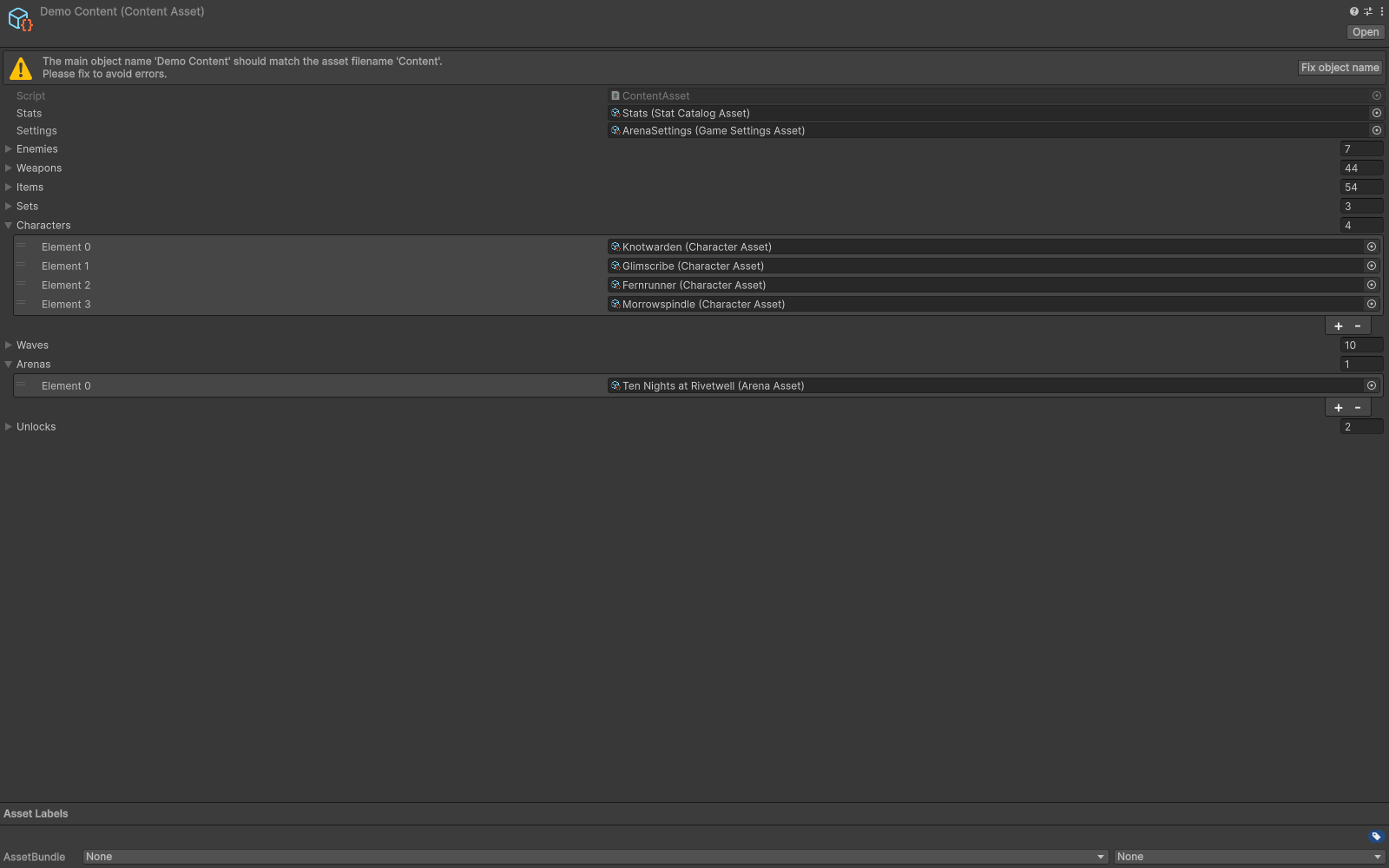
Content registry linking settings, stats and authored assets.
Check your result
Validate connected content before starting a new measurement or run. Keep the settings, seed and content version with any result you compare. For code-only adapters, compile against the package version you ship and configure the required authored data before gameplay.