Horde Preview
Record a wave with a seed, difficulty, player/bot setup and frame interval. Scrub recorded frames with the time slider and inspect positions, counts and density. Scrubbing reads captured frames. A smaller record interval improves temporal detail and increases memory use.
The preview displays schematic enemy positions and density. Record again after changing a definition or seed.
Entry point and reference fields
Entry point: Tools/Survivor Roguelite Maker/Horde Preview
| Field / API | Purpose |
|---|---|
RecordEveryTicks |
Frame spacing |
Wave / Seed |
Deterministic recording input |
Frames |
Value snapshots for scrubbing |
Figure
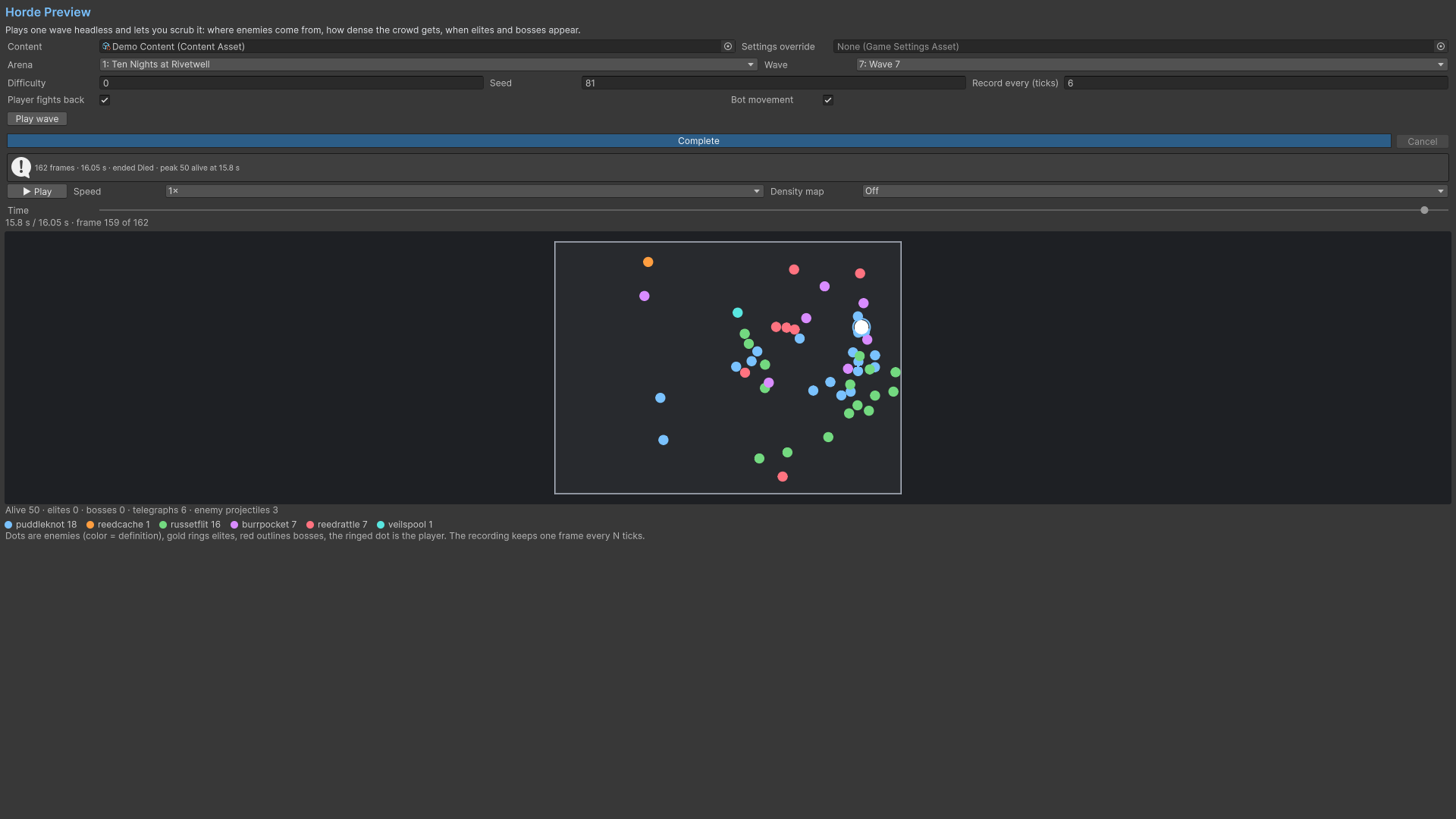
Product capture.
Check your result
Validate connected content before starting a new measurement or run. Keep the settings, seed and content version with any result you compare. For code-only adapters, compile against the package version you ship and configure the required authored data before gameplay.