Catalogs
ViewCatalogAsset resolves definition ids to prefabs/sprites/icons, tint and scale. Character ids select player appearance. Weapon entries can have separate Projectile Prefab/Sprite/Tint/Scale. Special keys include pickup.currency, pickup.heal, projectile.enemy, telegraph and projectile.trigger; use the constants on ViewCatalogAsset from code.
Without a prefab, WorldView can create a SpriteRenderer fallback. Missing art is visible as a placeholder rather than a combat failure. Keep animation on a child below the root position/rotation driven by WorldView. WorldView pools entity views, stores previous/current positions and interpolates during Render. A dead character can finish its death animation before its view returns to the pool.
Do not cache pooled Enemy/Projectile/StatusInstance objects across ticks; their ids, contents and owner change after Return/Rent. Keep ids or copied values, and look up current state when needed.
Implement ICharacterVisual on the prefab used in the catalog. WorldView supplies facing, motion, attack, hurt, death and reset calls. This applies to a simple Animator, a layered sprite rig or your own animation component. The adapter below uses only standard components; save it as ExampleCharacterVisual.cs.
using System;
using SurvivorsMaker.Presentation;
using UnityEngine;

namespace MakerManualExamples
{
    public sealed class ExampleCharacterVisual : MonoBehaviour, ICharacterVisual
    {
        public Animator Animator;
        public SpriteRenderer Body;
        static readonly int Speed = UnityEngine.Animator.StringToHash("Speed");
        static readonly int Attack = UnityEngine.Animator.StringToHash("Attack");
        static readonly int Hurt = UnityEngine.Animator.StringToHash("Hurt");
        static readonly int Death = UnityEngine.Animator.StringToHash("Death");
        Action _deathDone;

        public void SetMotion(Vector2 velocity) { if (Animator != null) Animator.SetFloat(Speed, velocity.magnitude); }
        public void SetFacing(float x) { if (Body != null && x != 0f) Body.flipX = x < 0f; }
        public void PlayAttack() { if (Animator != null) Animator.SetTrigger(Attack); }
        public void PlayHurt() { if (Animator != null) Animator.SetTrigger(Hurt); }
        public void PlayDeath(Action done)
        {
            _deathDone = done;
            if (Animator != null) Animator.SetTrigger(Death);
            else FinishDeath();
        }
        public void FinishDeath()
        {
            var done = _deathDone; _deathDone = null; done?.Invoke();
        }
        public void ResetVisual()
        {
            _deathDone = null;
            if (Body != null) { Body.flipX = false; Body.color = Color.white; }
            if (Animator != null) { Animator.Rebind(); Animator.Update(0f); }
        }
    }
}
Create matching Animator parameters: Speed (float), Attack/Hurt/Death (triggers). Put an animation event calling FinishDeath at the end of the death clip, or supply an equivalent completion mechanism. Complete the callback to return the retiring view to its pool. Reset any tint, scale, animation latch and pending completion when pooled. Create the Animator controller and parameters described above.
Entry point and reference fields
Entry point: Code-only: use the API reference for the named types.
| Field / API | Purpose |
|---|---|
Id |
Exact definition key |
Prefab / Sprite / Icon |
View and UI art |
ProjectilePrefab / ProjectileSprite |
Separate projectile appearance |
Tint / Scale |
View styling |
Figure
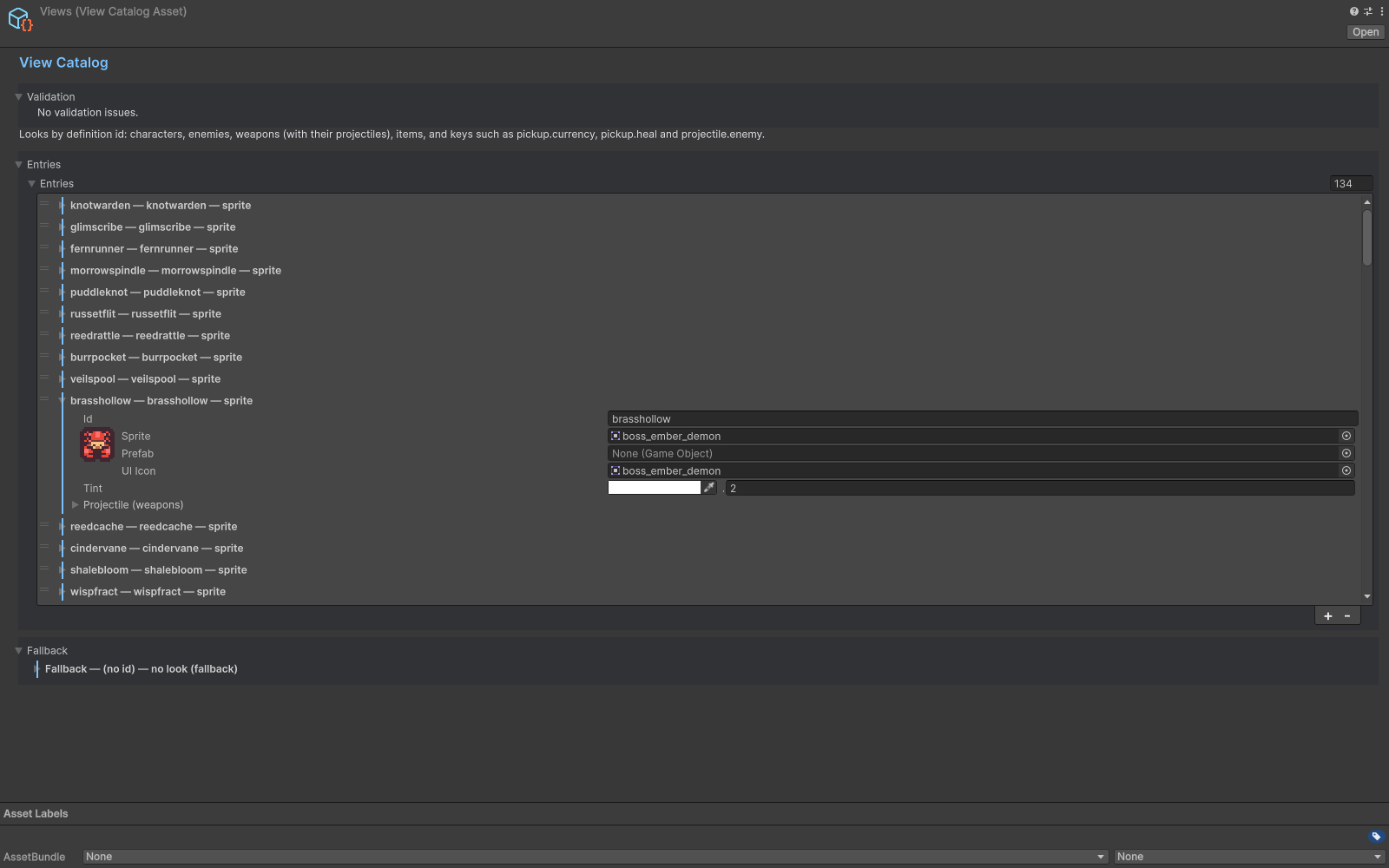
View Catalog mapping definition ids to sprites and prefabs.
Check your result
Validate connected content before starting a new measurement or run. Keep the settings, seed and content version with any result you compare. For code-only adapters, compile against the package version you ship and configure the required authored data before gameplay.
Documentation home · Bootstrap · UI and localization · Feedback and audio