Continue
RunSaves captures a run between waves: Shop, LevelUp without a live wave, or Wave before the next wave has started. Complete the current wave before saving a Field run. Check the session's CanSave property before calling RunController.Save().
Saved state includes seed/generator state, character/arena identity, inventory and item instances, currency, level/experience, choices/offers, remaining effect lifetimes/captures, supported trigger counters and custom effect payloads. Resume from the next between-wave boundary. Options, profile progress and the continued run are separate storage domains.
The normal session uses Save And Quit at an eligible boundary. Starting a new run replaces the single continued-run slot. A completed run clears it. Keep a separate backup/export feature if your product needs several user save slots.
Never change shipped content ids casually. Validate content ids, saved state and schema versions before restoring. Populate RunSettings.SaveArenaIds with stable arena ids in content order. Maintain the legacy mapping when importing saves that identified an arena only by index. A display-name translation must not change this mapping.
Definitions are reconstructed from the current content graph, while instance state is restored separately. Updating a definition can intentionally change the resumed game's rules; version/migrate your product content if you require old balance to remain reproducible.
GameProfile configures files below Application.persistentDataPath:
| Domain | Default file | Contains |
|---|---|---|
| Options | survivors-options.json |
Device/user presentation preferences |
| Profile | survivors-profile.json |
Progression unlocks and aggregate records |
| Run | survivors-run.json |
One between-wave continued run |
GameProfile can use memory-only stores during a session when persistence is off. Its Delete Profile action clears profile/run progress but keeps options. The file implementation writes and checks a temporary file before replacing the destination. Corrupt/future-domain data is preserved or write-blocked as appropriate rather than silently overwritten; inspect the read status before resetting user data. Use your storage adapter for encryption or integrity protection.
Custom platforms/backends can implement IProfileStore, IRunStore and IOptionsStore. Assign them through the session's SetSaveStores or directly configure a RunController. This example creates a memory-backed controller and restores a supported snapshot:
using SurvivorsMaker.Run;

namespace MakerManualExamples
{
    public static class ExampleSaveSession
    {
        public static RunController Create(RunRequest request)
        {
            var controller = new RunController(RunSystems.CreateDefault());
            controller.ConfigureProfile(new MemoryProfileStore(), request.Content);
            controller.ConfigureRunStore(new MemoryRunStore());
            controller.Create(request);
            return controller;
        }

        public static RunResult Restore(RunSnapshot snapshot, RunRequest request, out RunController controller)
        {
            controller = new RunController(RunSystems.CreateDefault());
            return controller.Load(snapshot, request);
        }
    }
}
The caller supplies a valid request/content registry and registers any custom handlers before Create/Load. Call StartWave to begin gameplay after creation/restoration. A raw RunSnapshot can be passed to Load; versioned file/transport integrations can use CaptureEnvelope and Load with a SaveMigrationRegistry.
Entry point and reference fields
Entry point: Code-only: use the API reference for the named types.
| Field / API | Purpose |
|---|---|
CanSave |
Eligible between-wave boundary |
SaveArenaIds |
Stable arena identity mapping |
IProfileStore / IRunStore |
Separate storage adapters |
Figure
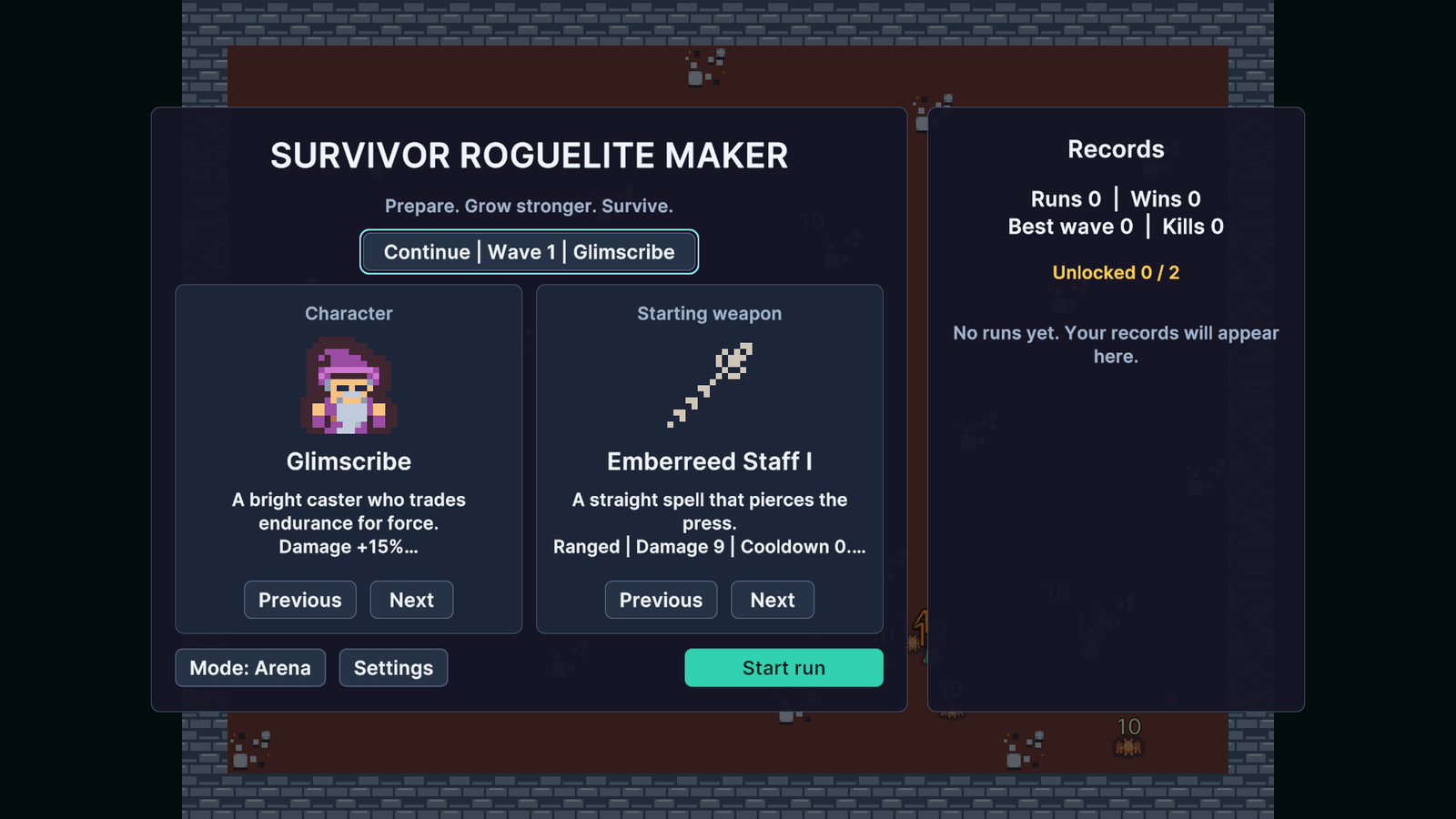
Main menu offering Continue for a saved run.
Check your result
Validate connected content before starting a new measurement or run. Keep the settings, seed and content version with any result you compare. For code-only adapters, compile against the package version you ship and configure the required authored data before gameplay.