Metrics
The live meter groups damage by weapon slot/definition over a rolling time window and can show damage share. CombatLedger and the result summary also track damage taken by source, choices/gains and level timing. Separate an expected DPS formula from damage actually observed in a wave. Status/secondary/other sources appears separately or through their supplied weapon attribution.
Custom damage code sets world.HitSource around calls to ICombat and clear it in a finally block, as in Extending. Without attribution, damage can land in an Other group. Views that display meters must not become a second combat system.
- Select a fixed seed and start with a known build.
- Use between-wave commands to establish the inventory and target wave.
- Run the wave with normal or held stepping; inspect event/damage timing and target density.
- Repeat without cheats, then compare with a headless Build Lab trial.
- Test a non-development player to confirm the panel is absent and ordinary UI/input still work.
When adding your own text-input UI, suppress gameplay movement while the UI owns keyboard input. Route keyboard focus from your custom UI to the input adapter.
Entry point and reference fields
Entry point: Play Mode > F3
| Field / API | Purpose |
|---|---|
DpsMeterKey |
F3 by default |
DpsRefreshSeconds |
Display refresh interval |
CombatLedger |
Rolling/aggregate observed damage |
HitSource |
Custom damage attribution |
Figure
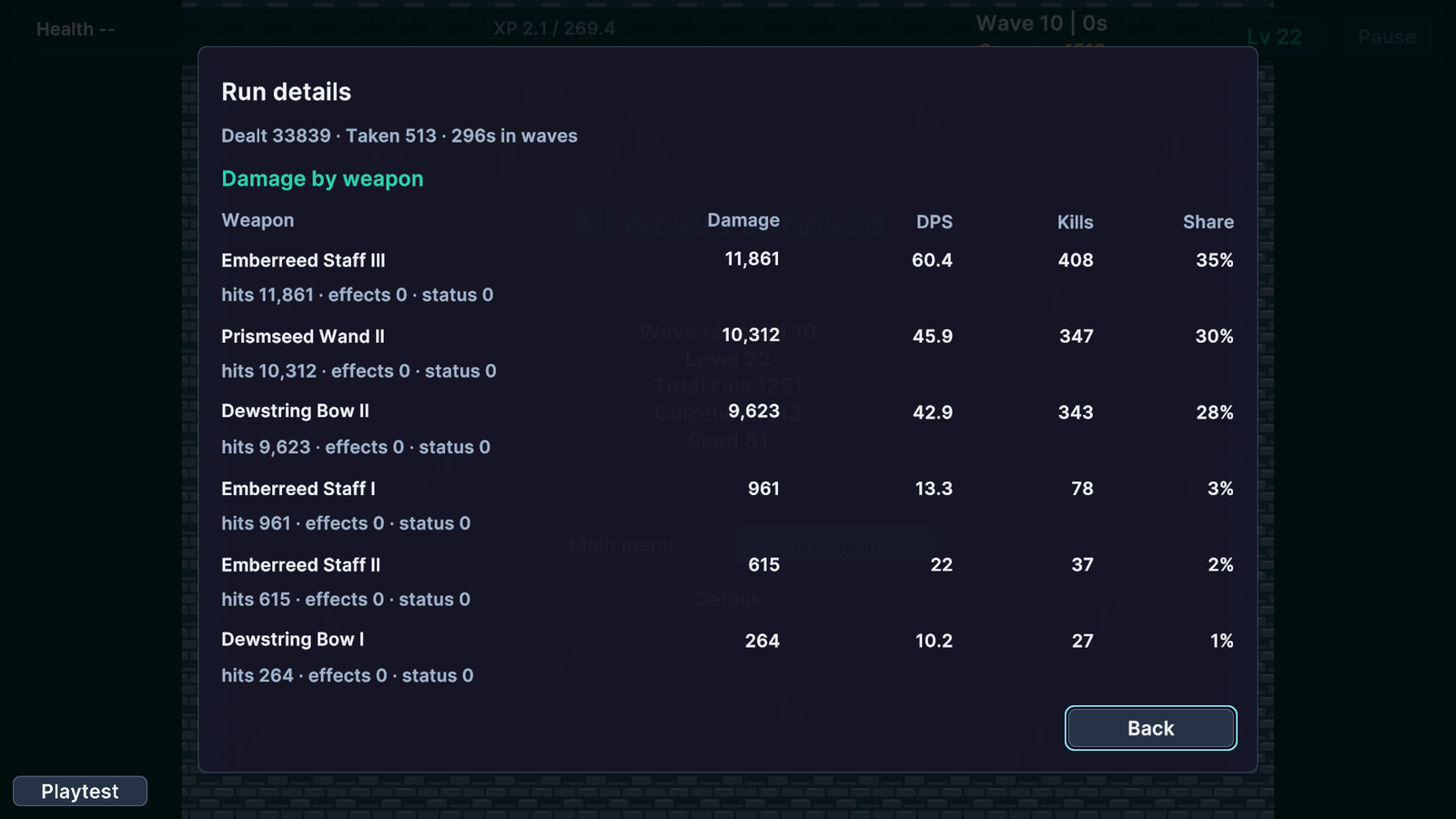
Run details with damage, DPS, kills and share by weapon.
Check your result
Validate connected content before starting a new measurement or run. Keep the settings, seed and content version with any result you compare. For code-only adapters, compile against the package version you ship and configure the required authored data before gameplay.