Wizards and validation
Use Tools/Survivor Roguelite Maker/Create Game Scene.... Assign your Content, optional mode-specific settings, view/sound catalogs and scene path. The wizard creates or wires a bootstrap, game, camera, input, UI and floor. Its create-missing-catalogs option can fill empty catalog references.
Use Tools/Survivor Roguelite Maker/Build UI Prefabs when you need editable generated UI prefabs. This is separate from content generation.
Use Display Name and Description for readable defaults, and Text Key with a LocalizedTextAsset/ITextProvider for localized strings. Keep ids unchanged when translating. Assign the text asset on the bootstrap; UI content names and descriptions then use that provider with fallback text.
Open Tools/Survivor Roguelite Maker/Content Browser and validate your selected content. Also review inspector warnings for invalid numbers, missing references, duplicate ids, rule configuration errors and tier cycles. Run whole-content validation before play. Validate the whole registry after editing interconnected assets or importing CSV.
Entry point and reference fields
Entry point: Tools/Survivor Roguelite Maker/Create Game Scene...
| Field / API | Purpose |
|---|---|
NewGameProjectOptions.Folder |
Project-owned output root |
GameSceneOptions.Content |
Existing content graph |
CreateMissingCatalogs |
Optional fallback catalog creation |
Validate |
Resolve whole-graph issues |
Figure
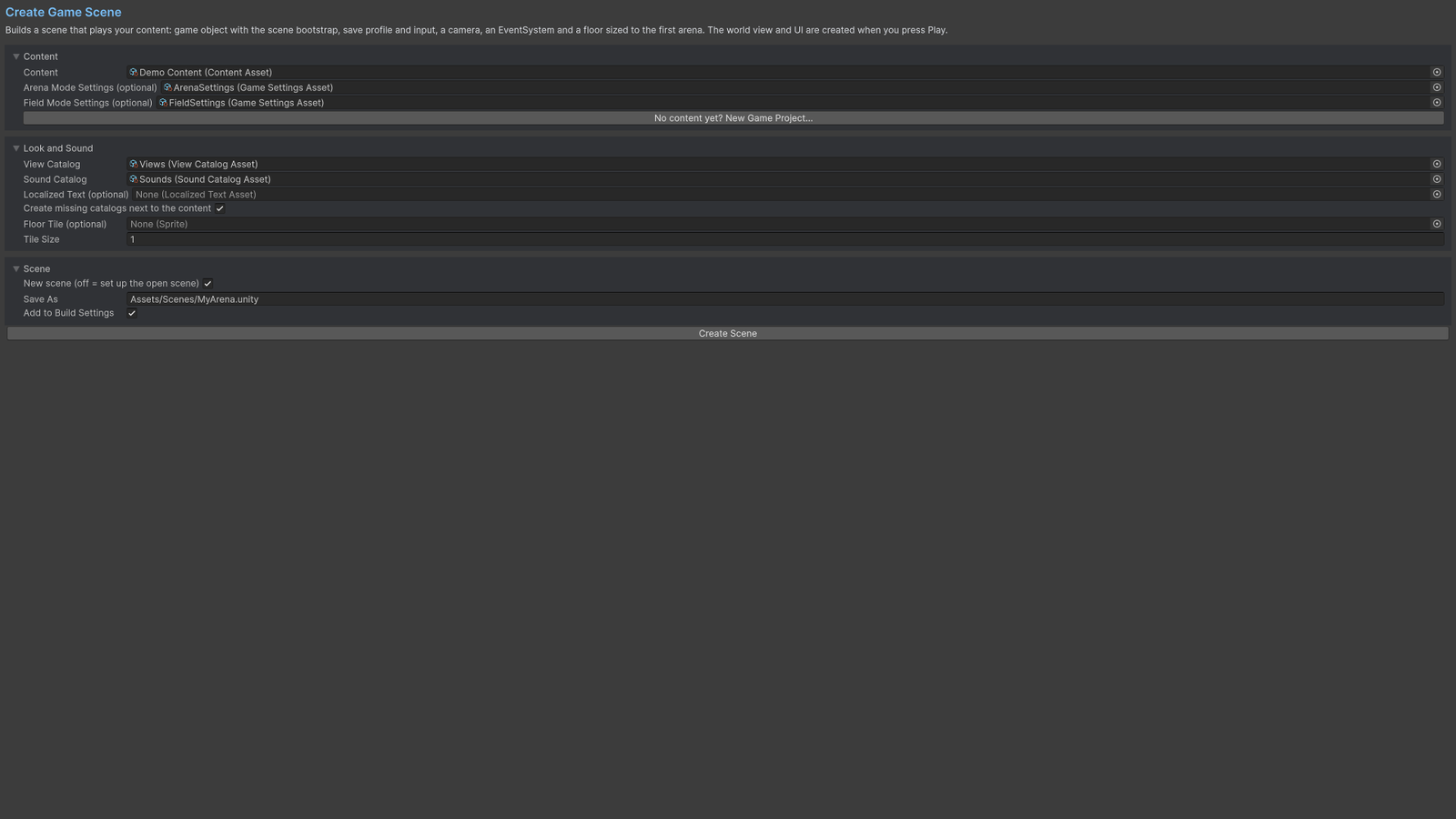
Create Game Scene wizard with content, catalogs and output paths.
Check your result
Validate connected content before starting a new measurement or run. Keep the settings, seed and content version with any result you compare. For code-only adapters, compile against the package version you ship and configure the required authored data before gameplay.