Options and migrations
SaveEnvelope records a Domain and SchemaVersion; its payload also has a Version. These are different version layers. SaveMigrationRegistry.CreateDefault(legacyArenaIds) includes the supported legacy-to-current paths. A future schema is not rewritten as the current one. Register explicit ISaveMigration steps when extending your own transport/schema, and validate the resulting payload before swapping the active run.
Custom effect handlers need IEffectStatePersistence. Capture returns a detached value payload; Restore reapplies it to a supplied store and returns an Undo record. Implement the codec before saving an application. See the complete effect handler example.
SpriteCharacterVisual provides the built-in facing, walk motion, hit flash, attack punch and death animation. PresentationSettings holds view/feedback tuning. WaveFeedback consumes simulation events for pooled damage numbers, death effects, screen shake and sound. Critical damage can use distinct size/color.
SoundCatalogAsset maps cues and events to audio clips, volume, pitch jitter, cooldown/concurrency and bus options. Music tracks use menu/combat/result contexts. Sound randomness is presentation-only and must not consume world.Random. Assign your own appropriately licensed clips; empty cues remain silent.
Options separate user preferences from authored defaults. GameOptions exposes audio volumes, damage-number visibility, reduced flashes and shake controls. Changing options must not rewrite your authored presentation settings. Localization uses content display text plus Text Key and an ITextProvider; missing keys fall back to authored text or UI defaults.
For custom events, consume SimEventKind.Custom and CustomId through ICustomEventView/WorldView registration. For another renderer, implement IWaveView: WaveStarted, Tick after each simulation step, Render with alpha, WaveEnded. Treat every callback as read-only with respect to simulation rules.
Entry point and reference fields
Entry point: Code-only: use the API reference for the named types.
| Field / API | Purpose |
|---|---|
SaveEnvelope.SchemaVersion |
Transport/schema layer |
payload.Version |
Payload layer |
IOptionsStore |
Device options domain |
ISaveMigration |
Explicit migration step |
Figure
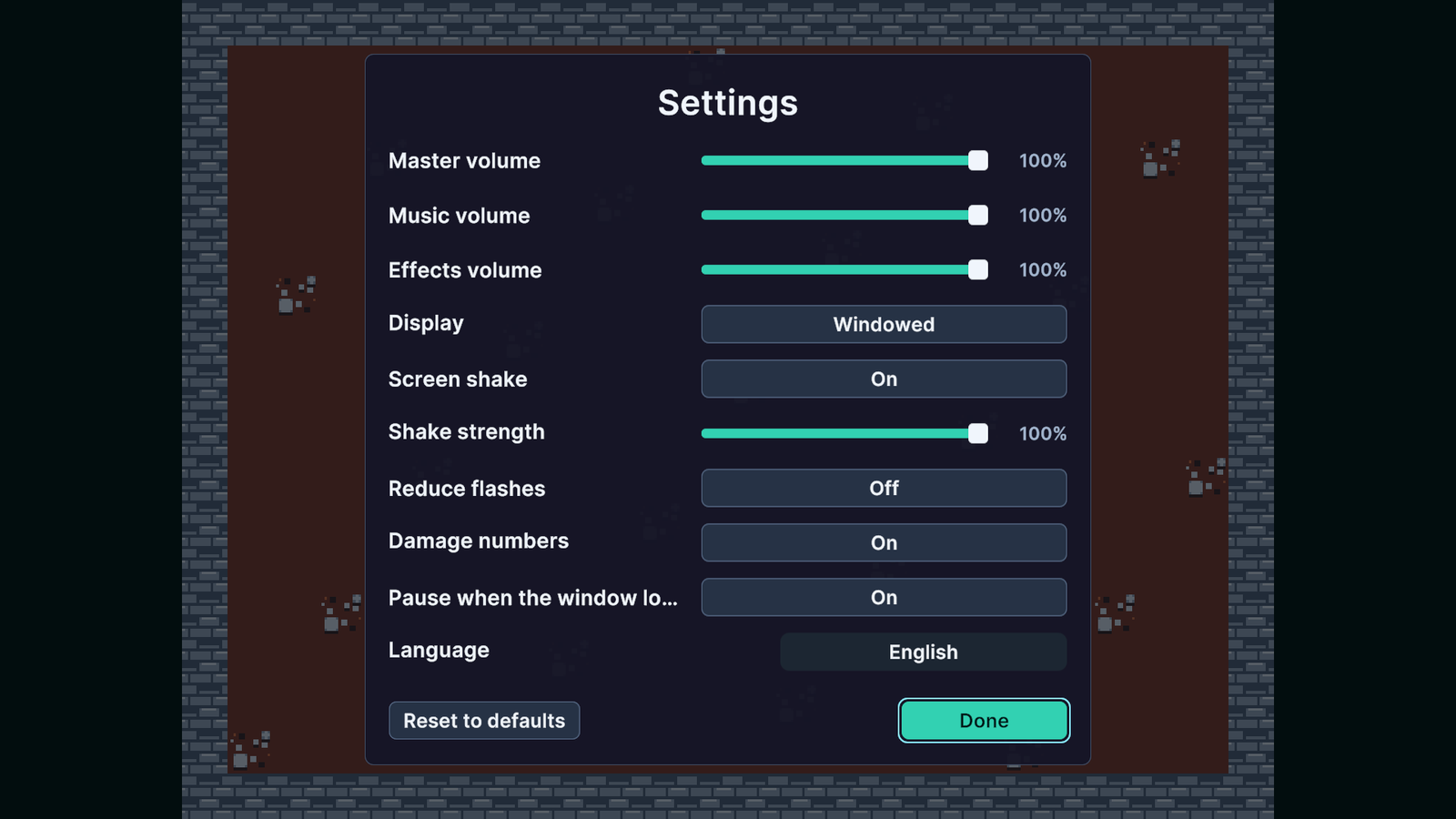
In-game Settings screen with audio, display and feedback controls.
Check your result
Validate connected content before starting a new measurement or run. Keep the settings, seed and content version with any result you compare. For code-only adapters, compile against the package version you ship and configure the required authored data before gameplay.