Bootstrap
SurvivorsSceneBootstrap wires Content, mode-specific settings, view/sound catalogs, input, camera, WorldView, UI, music and interface sounds. Empty scene references are found or created. Assign LocalizedTextAsset for text lookup and a fixed nonzero Seed for repeatable tests. Configure before starting a run; reconfiguring an active run is rejected.
SurvivorsGame owns the fixed-step clock, controller and registered wave views. IPlayerInput supplies Move and Pause Pressed. Replace its component for another input device, recorded inputs or AI. Keep gameplay movement in simulation world units, not in presentation transforms.
The default UI uses uGUI and TextMesh Pro. GameUiRoot connects menu, HUD, choices, shop, pause/options and result screens. Use the generated prefabs as a starting point for layout/themes; assign references and preserve controller actions instead of modifying RunState directly.
Entry point and reference fields
Entry point: Tools/Survivor Roguelite Maker/Create Game Scene...
| Field / API | Purpose |
|---|---|
Content |
Authoring registry |
Views / Sounds / Text |
Presentation catalogs/providers |
ArenaSettings / FieldSettings |
Per-mode rules |
Seed |
Zero selects a time-based attempt seed |
CreateMissingUi |
Create default UI when absent |
Figure
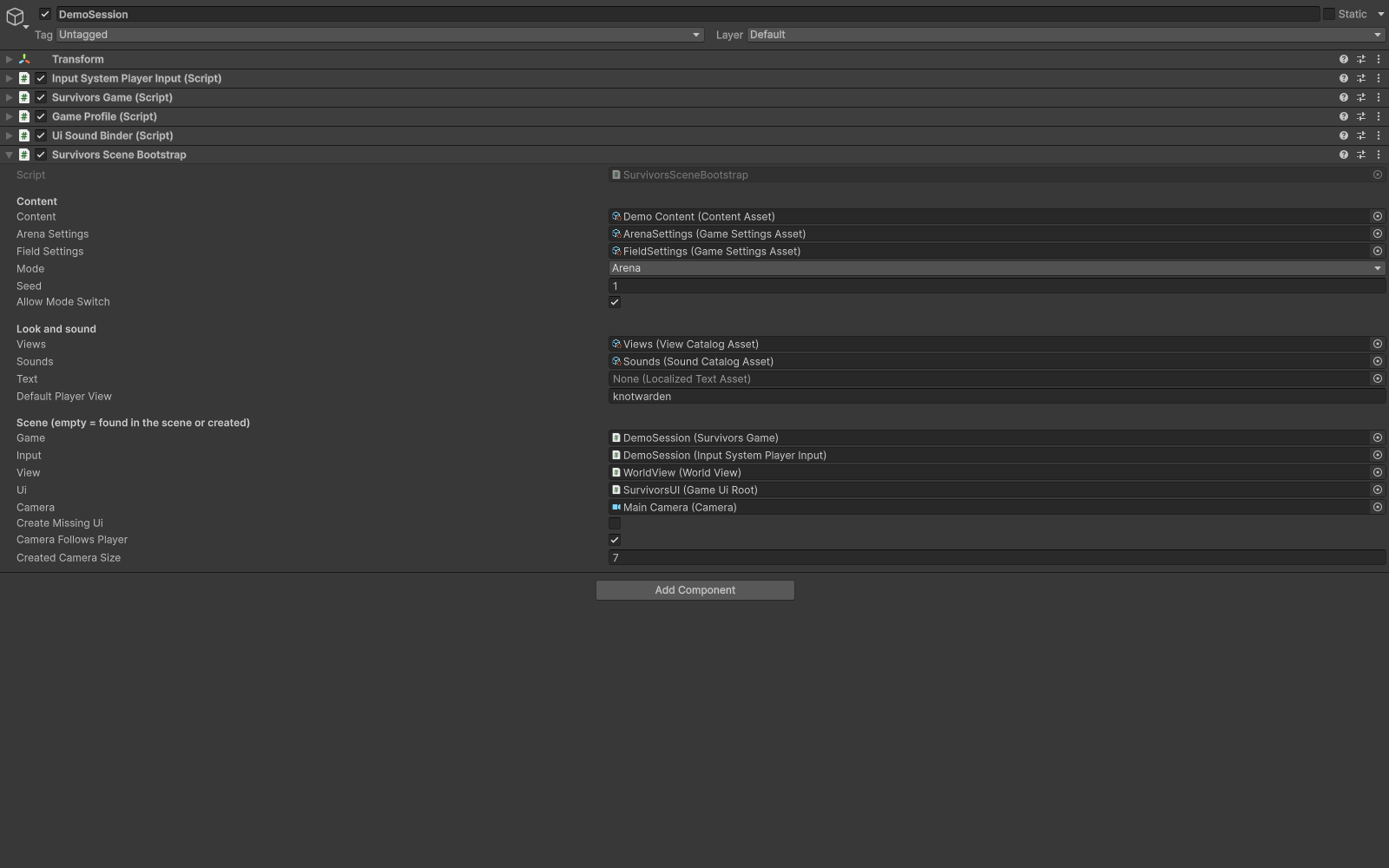
Scene bootstrap with content, catalogs and Seed settings.
Check your result
Validate connected content before starting a new measurement or run. Keep the settings, seed and content version with any result you compare. For code-only adapters, compile against the package version you ship and configure the required authored data before gameplay.
Documentation home · Catalogs · UI and localization · Feedback and audio