Balance Simulator
Run complete seeded bot sessions to inspect progression, survival and economy. Choose a representative content/settings pair and record bot type, sample count and first seed. Random and Greedy provide repeatable bot policies.
Compare the same seed range before and after a balance edit. Read how many runs reach late waves before trusting late-wave averages. Use fixed-build trials when you want to isolate equipment rather than simulate shopping decisions. Keep generated reports with the settings/content version that produced them.
Entry point and reference fields
Entry point: Tools/Survivor Roguelite Maker/Balance Simulator
| Field / API | Purpose |
|---|---|
Bot |
Random or Greedy policy |
Runs / Seed |
Repeated seeded attempts |
Metrics |
Win rate, progress, kills and economy |
Figure
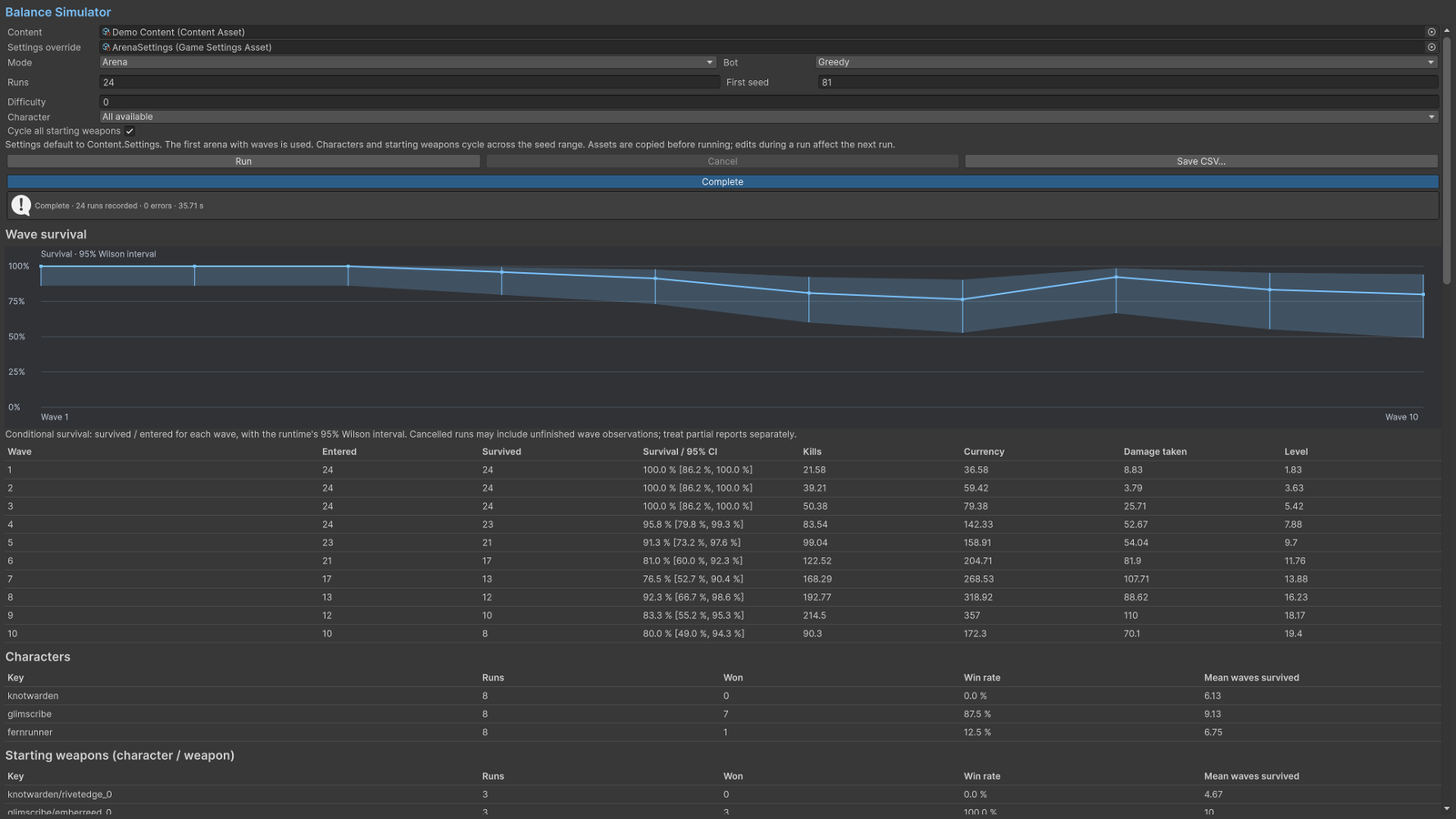
Balance Simulator with seeded run results and wave charts.
Check your result
Validate connected content before starting a new measurement or run. Keep the settings, seed and content version with any result you compare. For code-only adapters, compile against the package version you ship and configure the required authored data before gameplay.