Localized UI
Goal
Localize content and UI.
Procedure
- Keep content ids fixed; author readable DisplayName/Description fallbacks.
- Assign TextKey for entries requiring localized text.
- Fill a LocalizedTextAsset or implement ITextProvider.
- Assign bootstrap.Text, then choose the desired user language through options.
- Test missing keys and a second language without altering any save id.
Verify
Translated labels change while inventory/save identity stays the same.
Entry point and reference fields
Entry point: Use the corresponding Content inspector and Tools/Survivor Roguelite Maker/ tools.
| Field / API | Purpose |
|---|---|
TextKey |
Translation lookup |
Text |
Bootstrap provider |
Language |
Options choice |
Figure
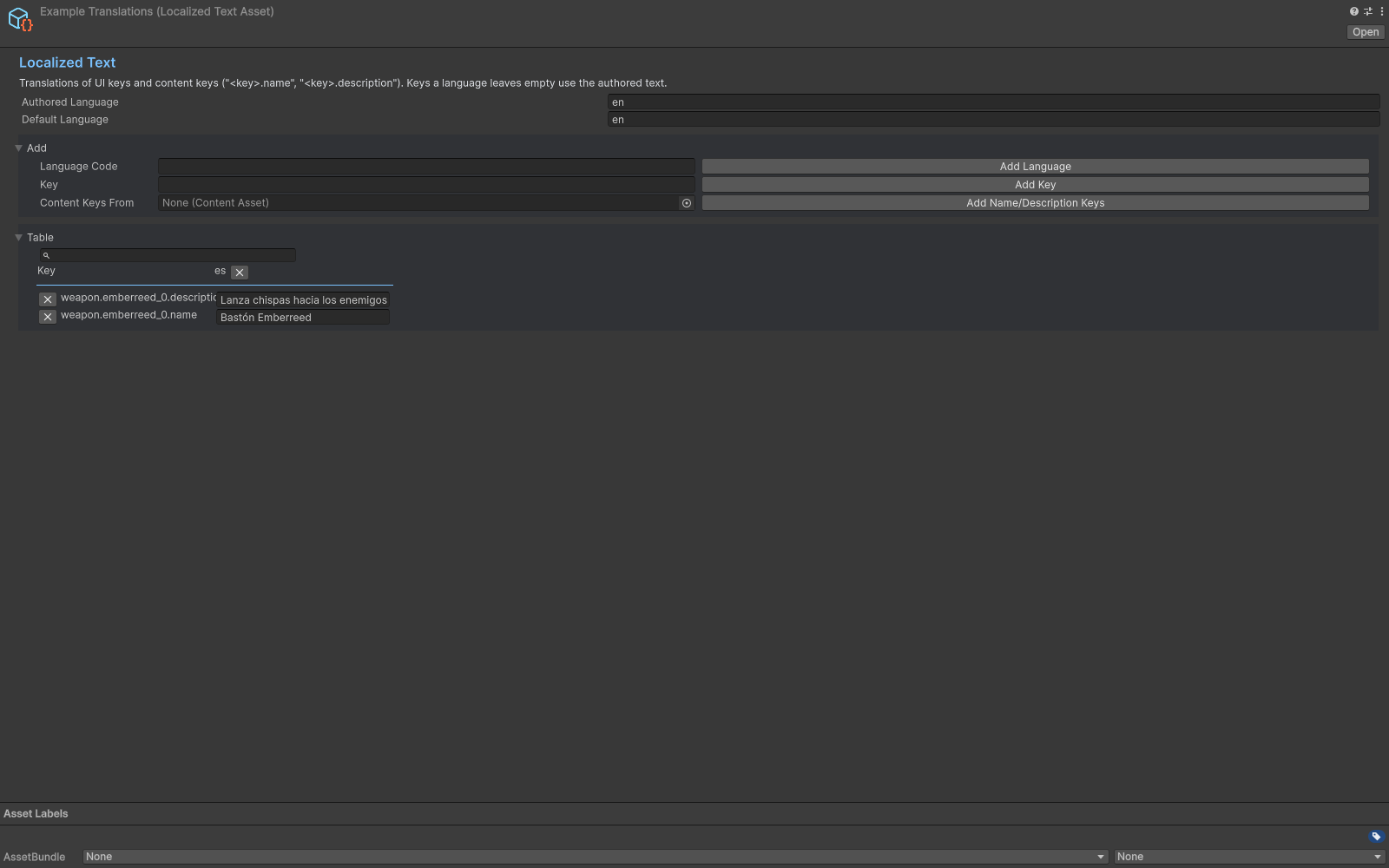
Localized Text asset with English and Spanish text entries.
Check your result
Validate connected content before starting a new measurement or run. Keep the settings, seed and content version with any result you compare. For code-only adapters, compile against the package version you ship and configure the required authored data before gameplay.
Documentation home · Weapon Evolution · Boss Wave · Status Weapon